Strava shoe tracker

Strava has the run.
Treadly has the shoe.

Connect Strava once and Treadly keeps shoe mileage moving with every synced activity. Your training history becomes a live wear log for each pair in your rotation.

Download on theApp Store
Strava import-Per-shoe mileage-Apple Health too
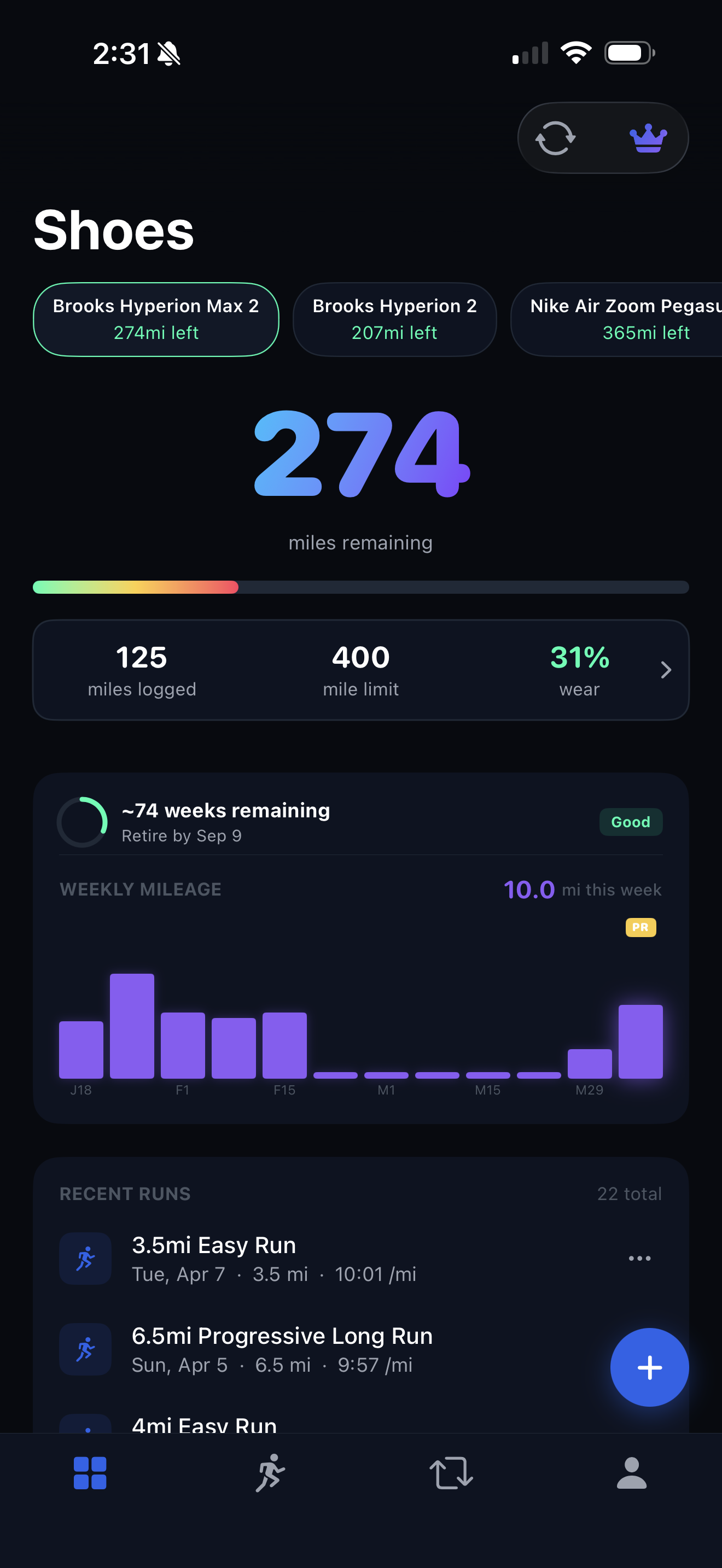
Treadly dashboard with running shoe mileage
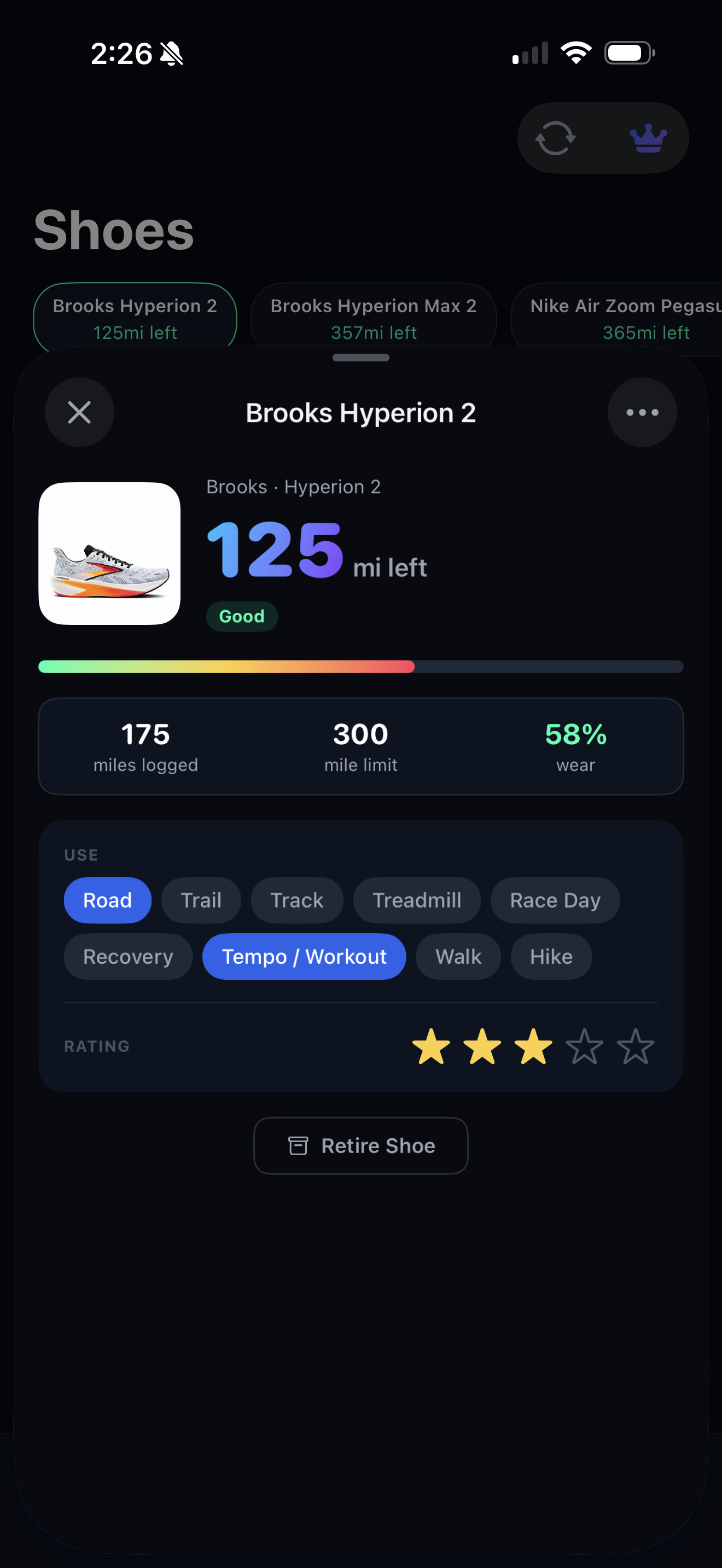
Treadly mileage tracking screen
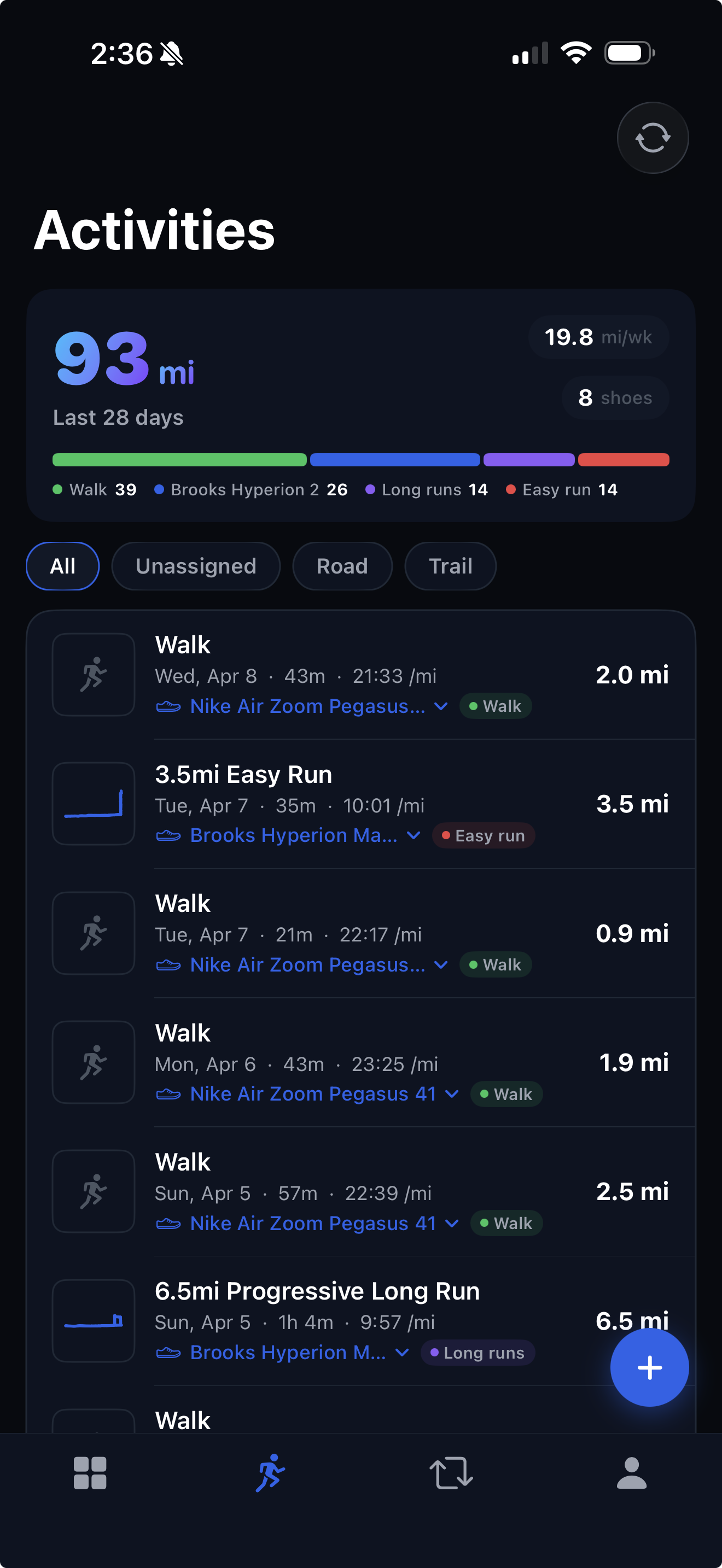
Treadly Strava connected activity screen
StravaActivity sync
ImportExisting gear
AutoShoe mileage
01

The missing layer

Strava records the miles. Treadly shows what they did to your shoes.

Activity history is not the same as shoe history. Treadly keeps the gear context close to the run, so each pair has a clear lifecycle.

  • Import shoes you already track in Strava.
  • Update mileage as new Strava runs sync.
  • Keep corrected assignments tied to the original activity.
02

The rotation

Your fastest shoe should not quietly become your daily trainer.

When every run comes from Strava, it is easy for one pair to absorb too much. Treadly makes shoe load visible before the rotation gets lopsided.

  • See which shoes are carrying the week.
  • Protect race shoes from accidental easy miles.
  • Retire pairs without losing their activity history.
Strava workflow

Keep the runner app. Add the shoe brain.

Treadly does not try to be Strava. It gives Strava runners a cleaner way to manage gear, mileage, and replacement timing.

01

Strava tracks the run. Treadly tracks the shoe.

Connect Strava once and Treadly turns your activity history into shoe history, with each synced run moving the right pair closer to retirement.

Strava tracks the run. Treadly tracks the shoe.
THREE STEPS
01

Connect your Strava account in Treadly.

02

Import existing shoes or add the pairs in your current rotation.

03

Let synced activities update mileage, wear status, and replacement timing.

Frequently asked

Does Treadly replace Strava?+

No. Strava remains the activity record. Treadly adds the shoe lifecycle layer: mileage by pair, wear status, and replacement timing.