When should you replace running shoes?Before the miles turn into guesswork.
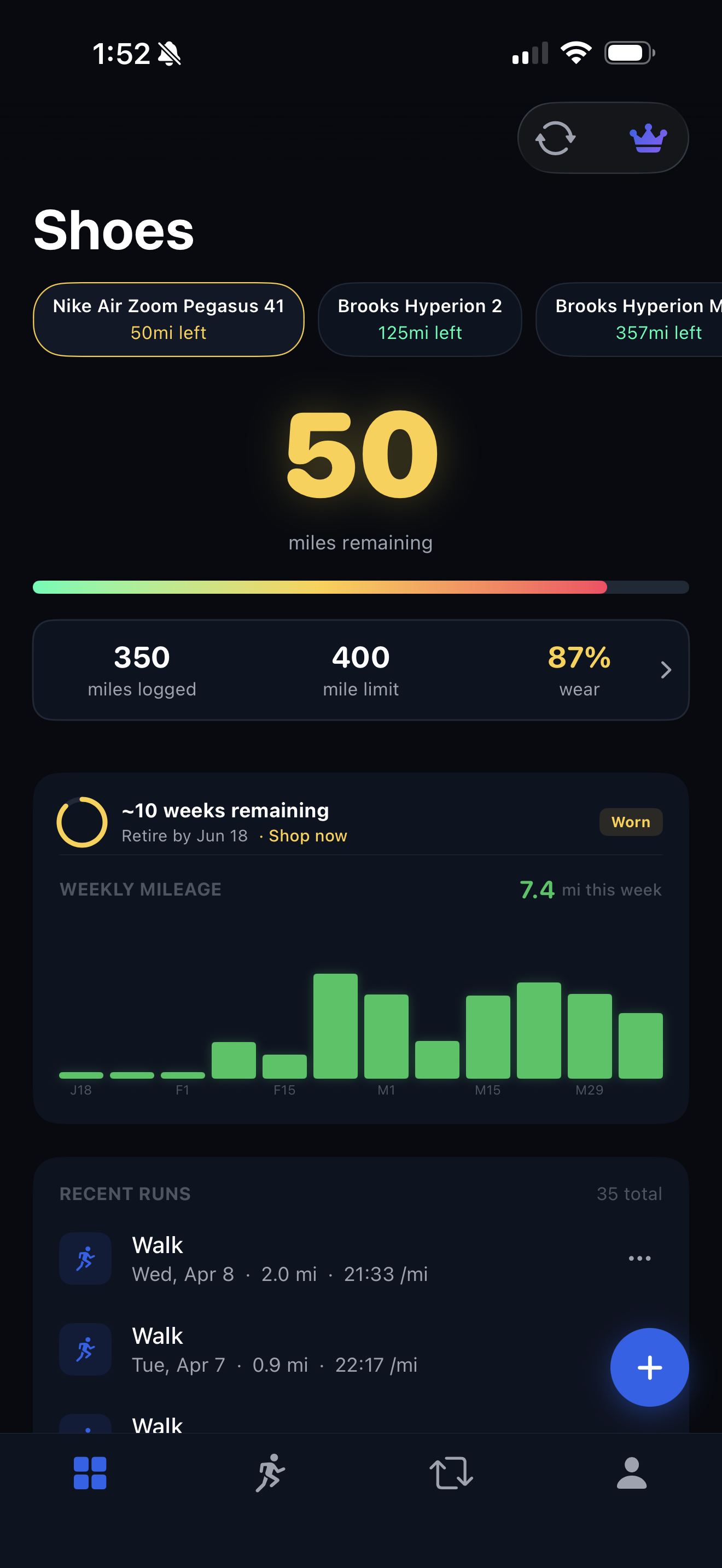
Most running shoes do not fail all at once. Treadly tracks each pair's mileage and wear status so replacement timing is based on the shoe you actually ran in, not a rough memory.
Mileage is the starting point. Shoe role is the context.
A daily trainer, a carbon racing shoe, and a trail shoe can age at very different speeds. The better question is not only how many miles a shoe has, but what kind of miles those were.
01
Mileage range
Use 300 to 500 miles as a practical starting range.
Many trainers land in that window, but the pair's foam, surface, runner, and rotation pattern matter. A fixed number is helpful only when the mileage is attached to the right shoe.
Set a retirement target per shoe instead of using one rule for every pair.
Lower the target for lightweight racers, plated shoes, or shoes used hard on workouts.
Raise the target only when the shoe still feels protective and stable late in its life.
02
Wear signs
Look for feel changes before the outsole looks dramatic.
A shoe can still look usable after the midsole has lost its snap. Watch for new aches, flatter landings, uneven wear, or a pair that feels dull compared with your fresher shoes.
Compare old and newer pairs on the same easy route.
Treat repeated soreness after normal runs as a replacement signal.
Retire shoes from running before they become a problem pair.
03
Treadly workflow
Let the tracker surface the pair that needs attention.
Treadly turns replacement timing into a visible status for every active shoe, with synced mileage and targets that match each pair's job.
Connect Strava or Apple Health so new runs update shoe totals.
Use green, amber, and red status to spot fading shoes quickly.
Keep retired shoes in history without cluttering the active rotation.
THREE STEPS
01
Add each active shoe and choose a target mileage.
02
Sync runs from Strava or Apple Health so mileage updates automatically.
03
Replace or retire the pair when mileage, feel, and wear status line up.
Many running shoes last about 300 to 500 miles, but lightweight racing shoes may be lower and durable trainers may be higher. Treadly lets each pair have its own target.